Organize your life. Build what's missing.
Notes, tasks, calendar, split bills and a second brain that gets you ready for the day come built in and work together. Need something of your own? Describe it in your own words and theo builds the app.
- No credit card
- Private by default
- Nothing goes out without your OK
I want a sales CRM with a pipeline by stage, my contacts and what's due this week
- database · contacts, deals, stages
- login · email and password
- dashboard · pipeline and what's due
- screens · list, record and Kanban
After that, just ask: “add the phone number to the customer record”.
Five apps that work together.And a builder for whatever's missing.
What you write down becomes a task, the task shows up on your calendar and the daily summary pulls it all together. You never copy anything from one place to another.
MyBrain
Your second brain. It reads your email and calendar, remembers people and puts agents to work for you.
MyBrain
Your second brain. It reads your email and calendar, remembers people and puts agents to work for you.
See each app in action.
Recorded in the real theo, on a computer and on a phone. The people and numbers are examples.
Now playing · 1:14
MyNotes
Pages, databases, mind maps and diagrams
All videos
6 videosRecorded in the real theo. The people and numbers in the videos are examples.
A second brain that works while you live.
It starts with a conversation to get to know you: your work, the people, your routine. Then it reads your Gmail and calendar, read-only, and handles what you don't have time for.
Daily summaryBefore you open your email, the day is already summed up.
Meeting prepWho'll be there, what you talked about last time and what's still open.
Email triageSeparates what needs you from what can wait.
After the meetingRecord the conversation. It writes the minutes and creates the tasks.
Memory of peopleEvery person and every project with its history, in your MyNotes.
You're in controlNothing leaves theo without your OK. Everything it does has Undo.
From morning coffee to the end of the day, nothing slips.
A sample Thursday. Each step uses a different app, and none of them makes you copy anything.
- 07:00MyBrain
The daily summary arrives: 3 meetings, 2 emails that need a reply and the rent due tomorrow.
- 09:10MyBrain
Before the meeting with Ana, the prep: what you agreed on and what's still open.
- 10:30MyNotes
You record the meeting. The minutes go to MyNotes and the tasks to MyTasks.
- 13:00MySplit
Team lunch: $186.00 split 4 ways. Everyone sees what they owe and settles up.
- 18:20MyTasks
In the car, you dictate “call the accountant tomorrow at 9”. It becomes a task with a reminder on your phone.
- 21:00MyMoney
Your card spending is already there, sorted by category, with the month's goal right next to it.
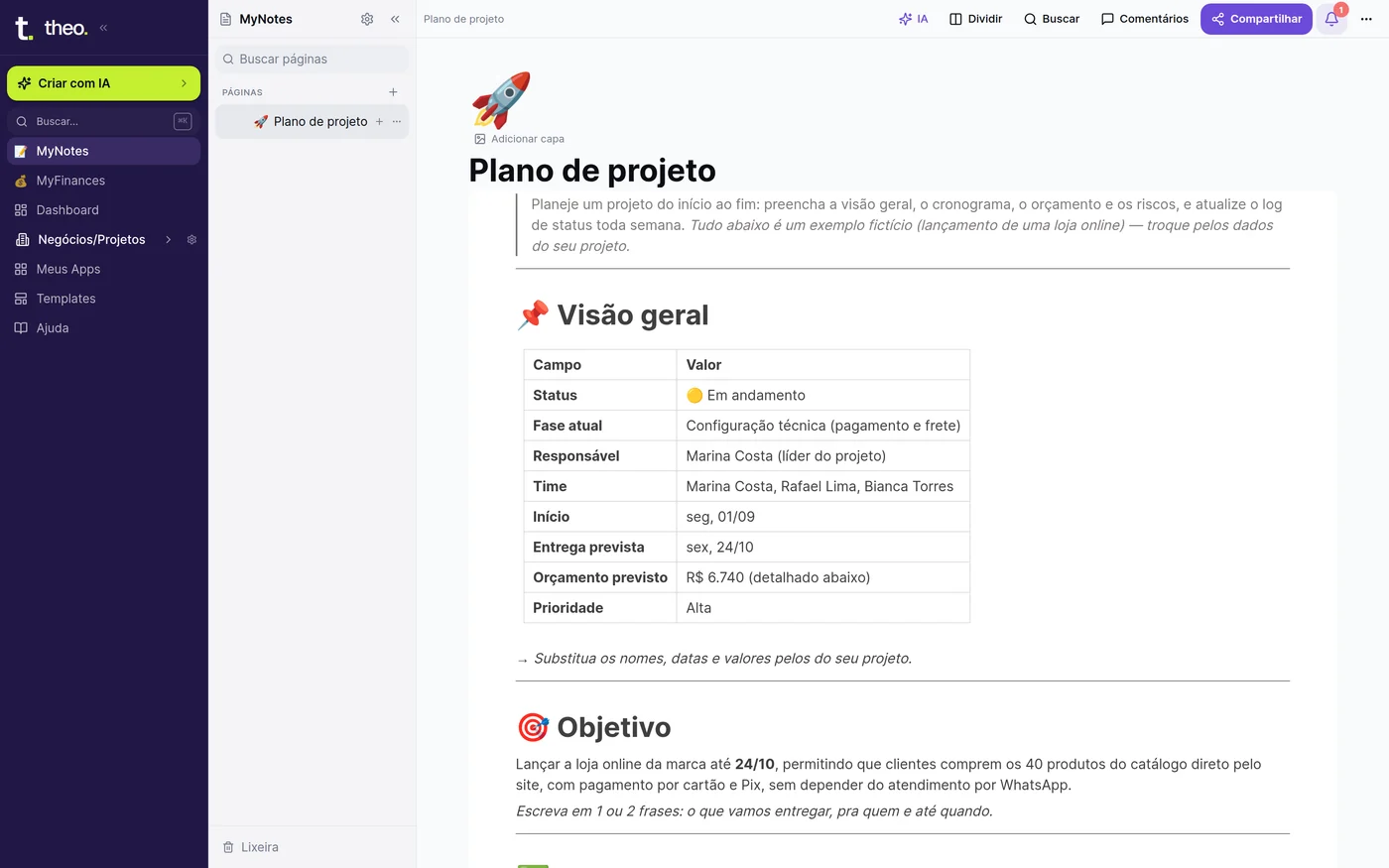
Write, organize and draw in the same notebook.
From rough draft to project plan. Start from a ready-made template or a blank page and put in whatever you need.
DatabasesTable, Kanban, gallery and calendar views of the same data.
Mind maps and diagramsMind maps and process flows drawn from a list.
Meeting recorderRecord, transcribe and keep it with the meeting page.
PenHandwrite on the iPad, right on top of the page.
Ready-made templatesProject, meeting, trip, OKR, habits and more.
SharingA read-only link or an email invite to edit together.

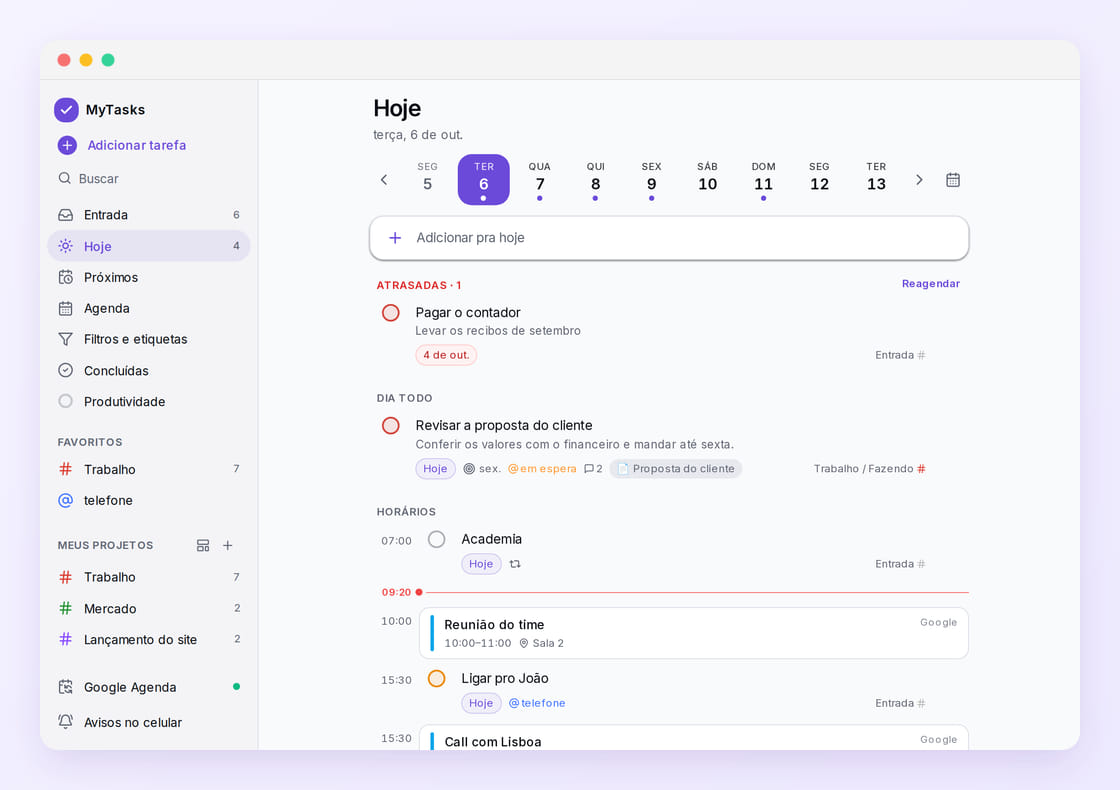
Tasks and calendar, side by side.
What you have to do and where you have to be, on the same screen. Connect Google Calendar and see the whole day at once.
Dictation that gets itTalk and it sorts out tasks, events, notes and reminders.
Google CalendarYour events right between the day's tasks.
Phone remindersA reminder at the right time, even with theo closed.
RepeatEvery Monday, every 5th, every 2 weeks.
Shared bills, no spreadsheet and no awkwardness.
House, trip, friends. Add an expense in seconds and theo shows who pays whom, with the fewest transfers.
Your wayEqually, by amount, percentage or shares. Several people paying together.
Any currencyOn a trip abroad, each expense keeps its own currency and the balance still adds up.
Bring it from SplitwiseImport your history and the balances still add up.
Full historyEvery change is logged, with the before and after.
Your money, connected to the bank.
Accounts and cards updated every day, spending sorted by category, goals and net worth in one place. Opening little by little, by invitation.
Describe it, theo builds it.
Need something no app does? Inventory tracking, the salon's booking calendar, the office CRM. You write it in your own words; it does the rest: database, login and screens, live at a link for your team.
Get your project off the ground in 3 steps
No technical spec, no project timeline. You talk, theo builds.
Describe your idea
Tell theo what you want to make — “a sales website” or “a system to manage tasks”. Use your own words.
theo builds it
In moments it designs the screens and writes the code, the components and the database logic for your project.
Adjust and publish
Want to change a color or add a button? Just ask. When it looks right, hit publish and your project goes live, ready for real users.
See what you can build

Deal pipeline — for your sales team

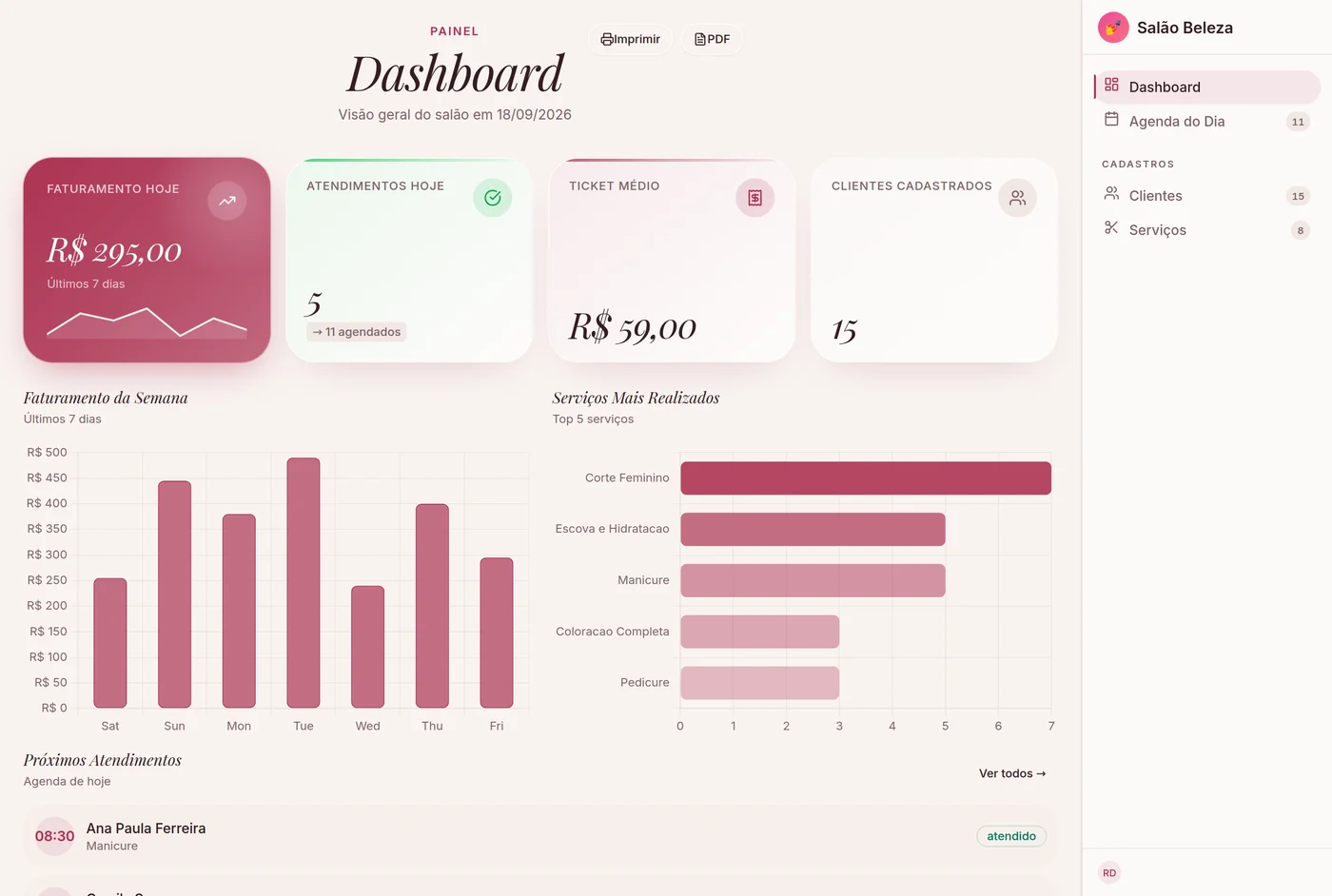
Today's appointments — for your salon

Appointments and patients — for your clinic

Stages and costs — for your job site

Members and monthly fees — for your gym

Cash flow and categories — for your restaurant
Start fast, or share what you built
Don't want to start from scratch? Pick a system that already works. Built something that solves it? Anyone with the same problem can start from yours.
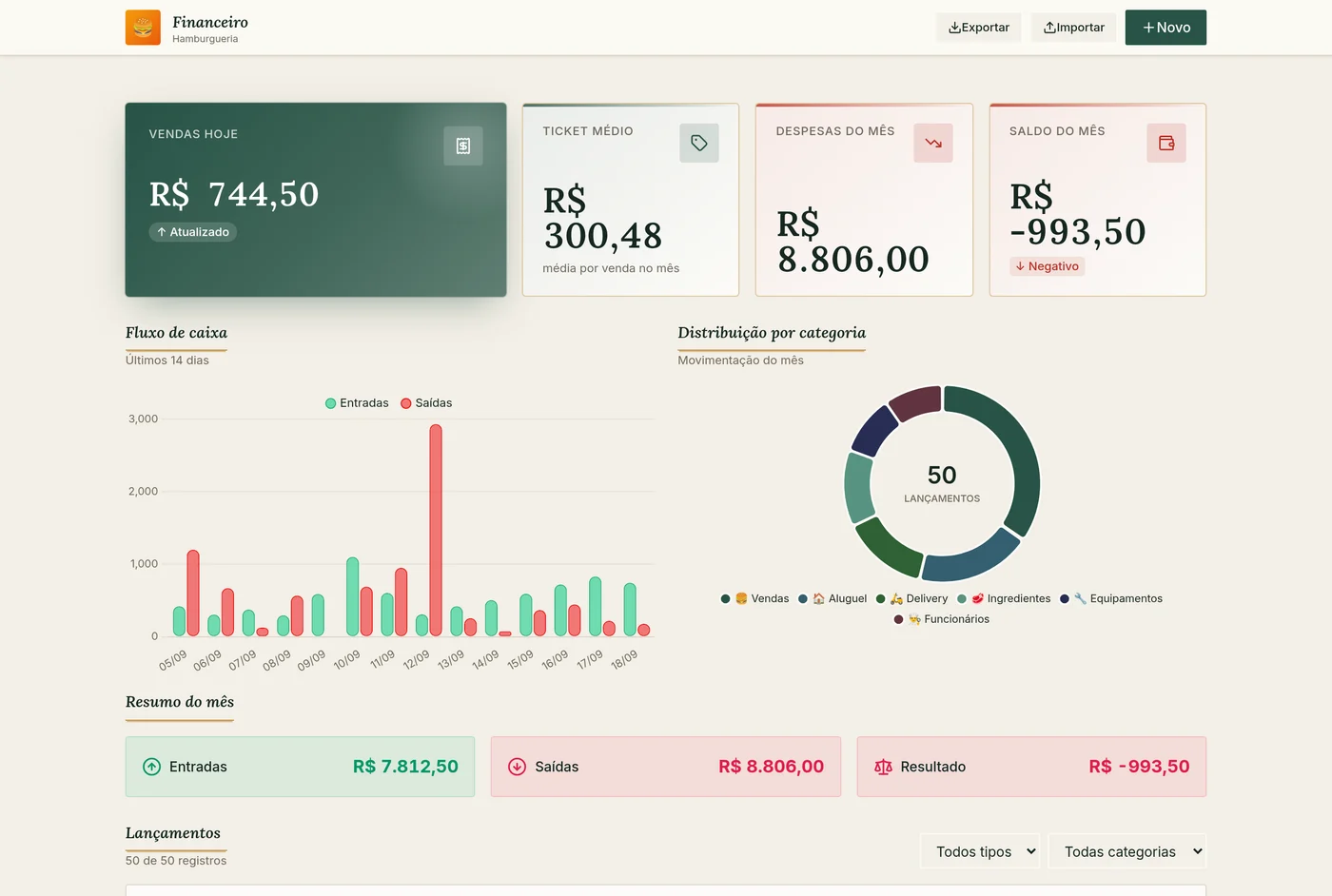
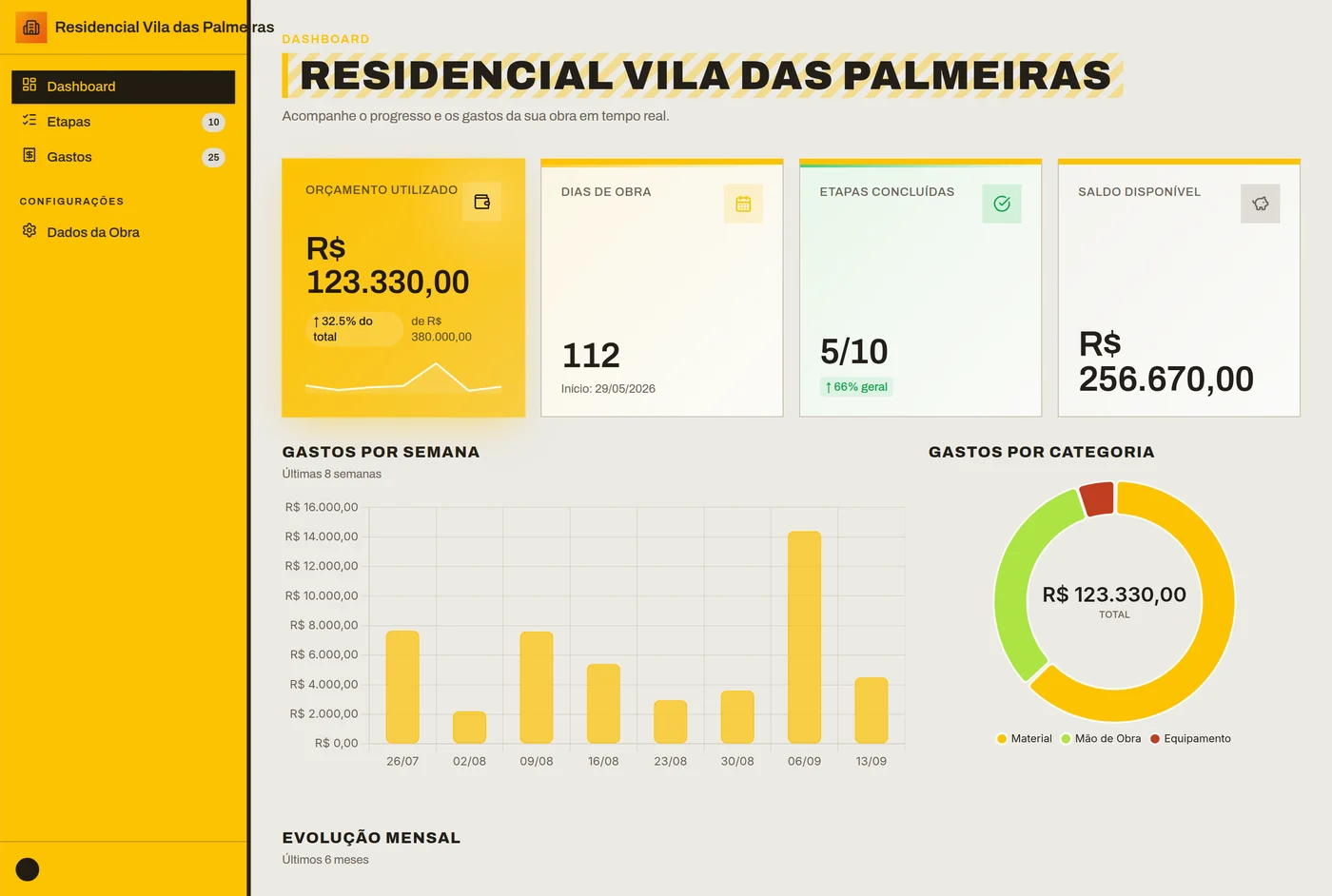
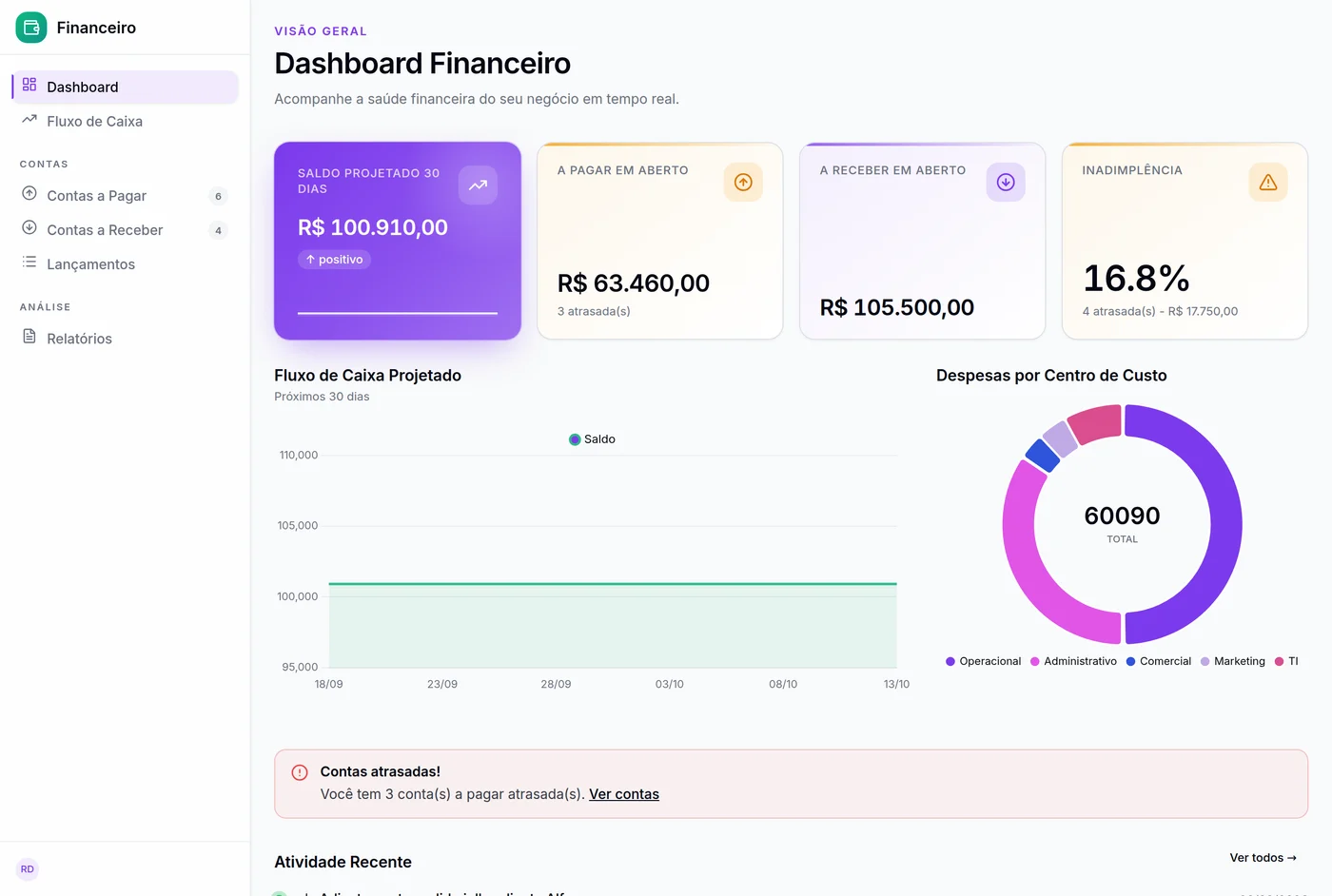
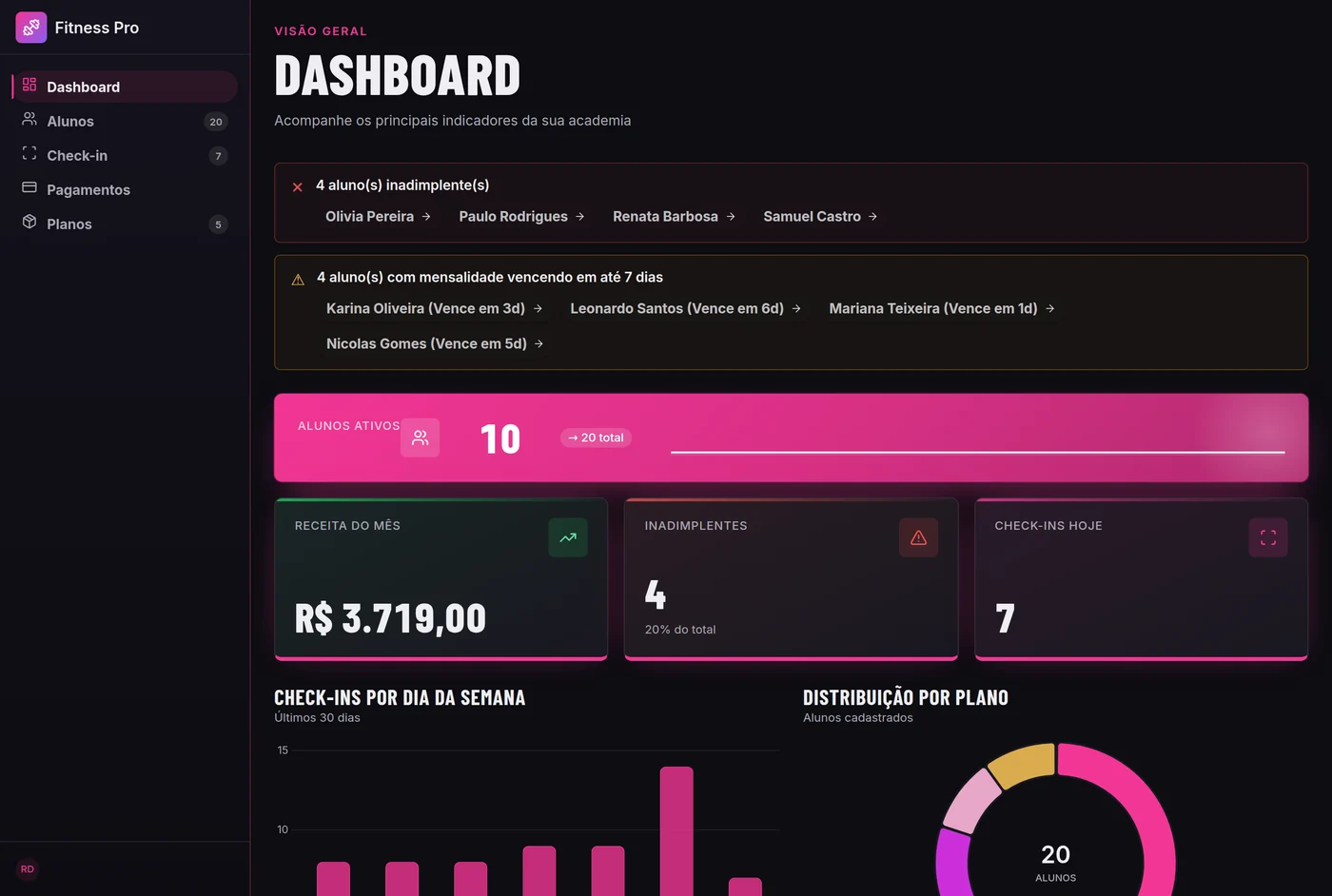
Ask Claude. theo does it.
Connect theo to Claude once and just ask: it queries your apps, writes in your MyNotes and files everything in the right place — in the chat, the app or the terminal.
Your apps. “How many orders are late?” It reads the app's tables and answers — and only changes the rows you point to.
MyNotes. Minutes, proposals and summaries: it writes, edits just the part you asked for, and builds databases, mind maps and diagrams.
With your permission. The connection only exists after you click Allow on theo's screen, and you can disconnect anytime in Settings → Connections.
- Claude
- Claude Code
- ChatGPT
- other MCP clients
notas_pastasfound Meetings/Octobernotas_criar“Supplier meeting — Oct 5”notas_criar_base“Meeting tasks” · 4 rows
Done. The summary page is in Meetings/October, and the 4 tasks went into a database with owner, due date and status.
Open in theoYour day on your desk, without opening your phone.
A round display that shows the time, your next meeting, today's tasks and alerts. When you're in a meeting, it lets passersby know.
Your data, your rules.
theo works for you, but you're the one who decides.
Private by default
Only the people you share something with can see it.
Encrypted memory
What MyBrain knows about you is stored encrypted.
You approve
Emails, invites and messages only go out with your OK.
Take it all
Download MyBrain's entire memory whenever you want.
Frequently asked questions
01What is theo?+−
02Does theo read my email?+−
03Do I need to know how to code?+−
04Does it work on my phone?+−
05Can I bring what I already have?+−
06How much does it cost to start?+−
Start today. Tomorrow your summary will be waiting.
Create your account in a minute and choose where to start: with the apps or by describing your own.